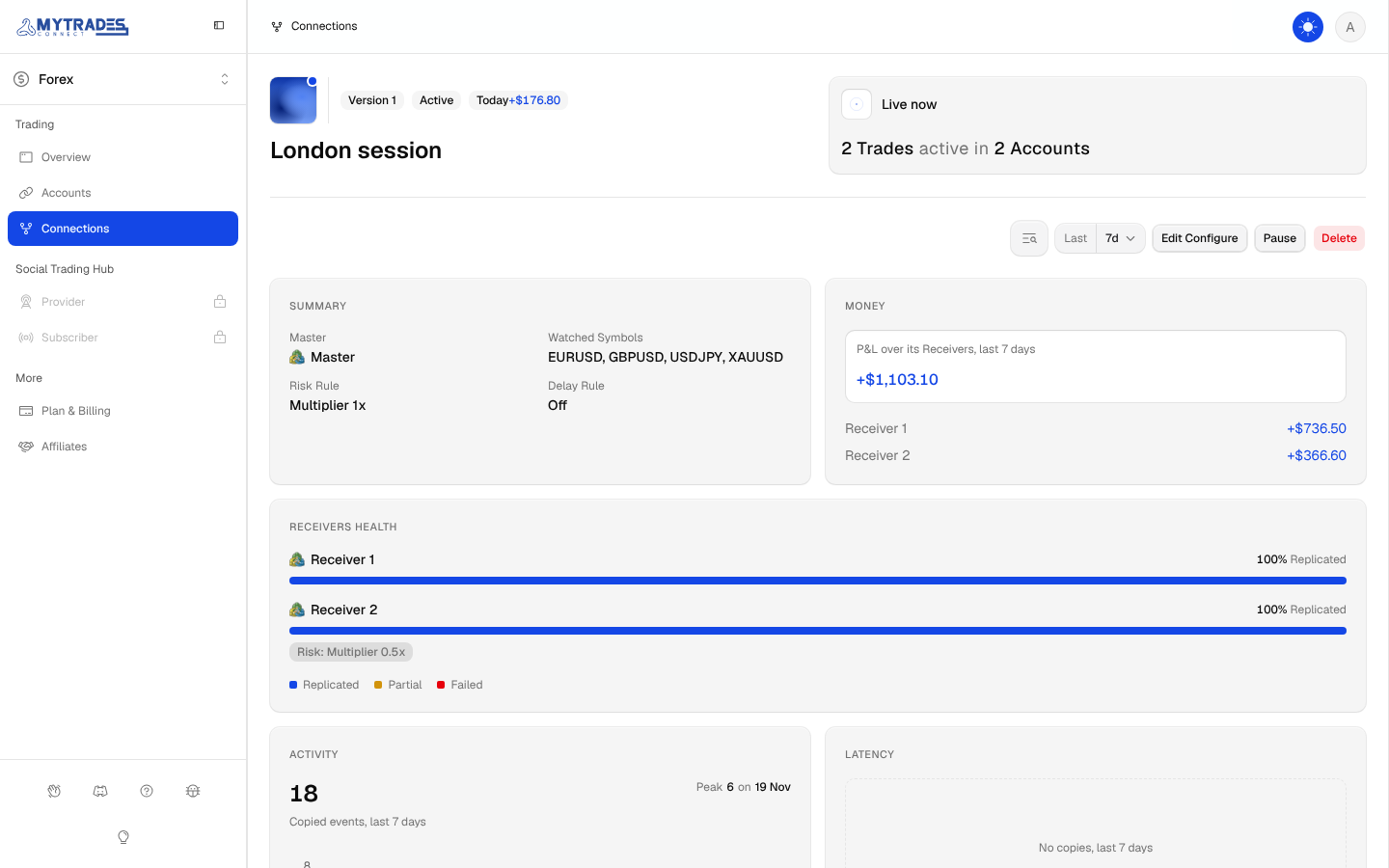
Create a Connection
Copy a Master Account's Trades to one or more Receiver Accounts.
A Connection copies one Master Account to one or more Receiver Accounts inside the Market Environment you have open. Add the Accounts first, as Add an Account shows.
Open Connections and select Create Connection. The wizard has eight steps, and Next checks each one before moving on.
Setup
Enter a Name for the Connection and pick its Master: the Account whose Trades are copied. An Account that cannot be a Master shows why, as Master or Receiver explains.
Receivers
Select the Accounts that copy the Master. Pick at least one. An Account that cannot be a Receiver for this Master is greyed out with the reason.
Watched Symbols
Select the Master symbols to copy. Each symbol shows its code beside its name, such as NQ · E-mini NASDAQ-100. MyTradesConnect copies a Trade only when its symbol is watched, so a Trade on any other symbol stays on the Master.
On Futures, a symbol is a product such as NQ or MES. Watch the product of the Master's Trades: a Trade on NQZ6 copies only when NQ is watched, and the copy keeps the Master's contract month.
Symbol Mapping
Brokers often name the same instrument differently, such as EURUSD on one and EURUSD.r on another. For each Receiver, pick the Receiver symbol that matches each Watched Symbol; each choice shows its code beside its name.
Map every Watched Symbol to at least one Receiver. A symbol you leave unmapped for a Receiver is not copied to that Receiver. A Receiver symbol takes one mapping across all your Connections, so one already in use shows (Already mapped).
Risk Config
Choose how each copied entry is sized:
- Multiplier: the Receiver's size is the Master's size times the value.
1copies the same size,0.5half and2double. This is the default, at1. - Fixed: every entry opens at the same size, in lots on Forex and whole contracts on Futures.
The rule sizes the entry only. When the Master later adds to or cuts the Trade, the Receiver keeps the ratio its entry had. A Multiplier of 0.5 on a Master entry of 2 lots opens 1 lot, and when the Master adds 2 lots more, the Receiver adds 1.
Delay Config
Choose whether entries wait before they are placed:
- Off: entries go out at once. This is the default.
- Fixed: every entry waits the same time, in milliseconds.
- Random: each entry waits a random time between a Min and a Max, in milliseconds.
A delay is at most 30,000 ms, which is 30 seconds. Only entries wait: exits and Stop Loss or Take Profit changes always follow the Master at once. If the Master closes before a delayed entry is due, the copy is skipped.
Receiver Overrides
Turn on Override for a Receiver to give it its own Risk, its own Delay or both. An override replaces the Connection's whole rule for that Receiver, never one field of it. Receivers without an override use the Connection's rules.
Recap
The last step shows every choice. Select Edit beside a row to change it, then select Create. The Connection starts copying at once as Version 1.
Change a Connection later
Open the Connection and select Edit Configure. The same wizard opens with the Master locked, because a Connection keeps its Master. Select Save new Version to publish your changes as a new Connection Version, which copies from then on.